I've been using ON1 Photo RAW for several years and it's become my main editing software for Fujifilm images. One of the questions I hear regularly from photographers is:
"Why don't my Fuji RAW files look as good in ON1 as they do in camera?"
The good news is that with a few simple adjustments you can achieve vibrant, punchy results while still retaining the beautiful colour that Fujifilm cameras are known for.
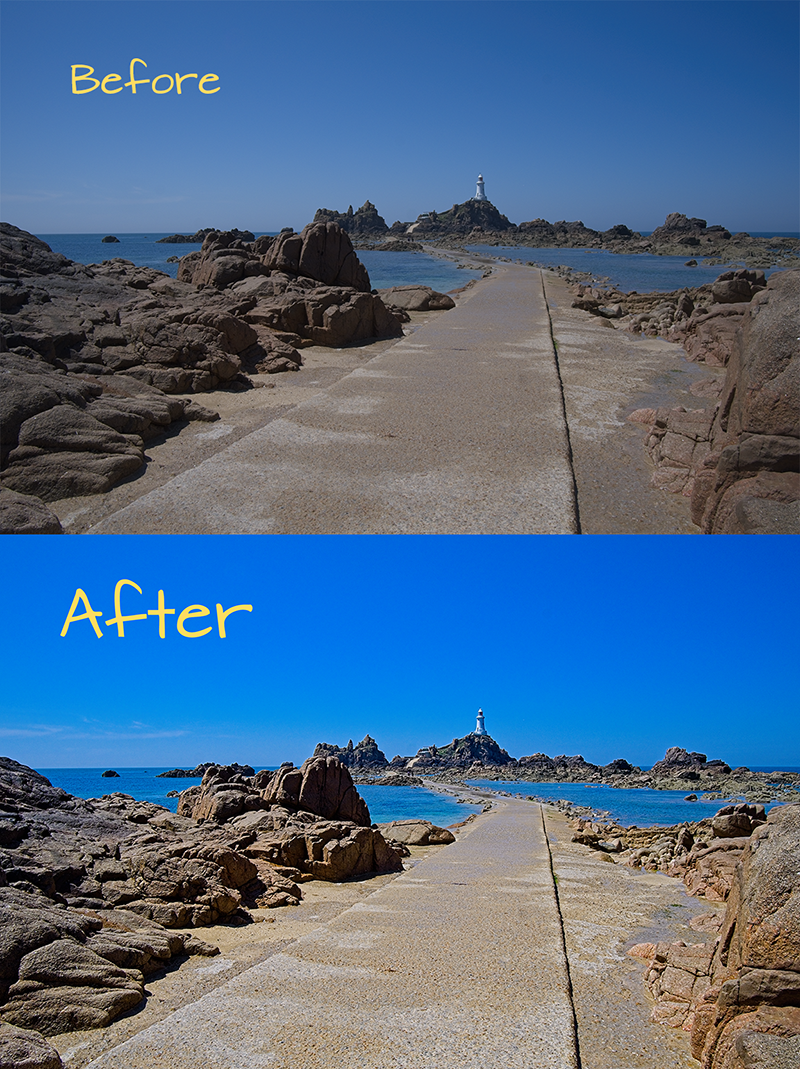
The first thing I check when opening a RAW file is the camera profile.
ON1 includes Fuji camera profiles and film simulations that can provide a much better starting point than the default rendering.
Choosing the right profile often gets you most of the way to the finished image.
Many Fuji RAW files initially appear slightly flat compared to the JPEG preview shown on the back of the camera.
Rather than pushing the contrast slider aggressively, I prefer to:
This gives the image more impact without making it look over-processed.
A common mistake is increasing Saturation too far.
Instead, try:
Vibrance targets weaker colours while protecting skin tones and already saturated areas.
Fujifilm sensors often retain an impressive amount of highlight information.
If skies appear too bright:
This can reveal detail that initially appears lost.
For many landscape images I begin with:
Every image is different, but these settings provide a solid starting point for many Fujifilm RAW files.
Once I've completed my basic RAW adjustments in the Develop panel, I often add extra punch using the Dynamic Contrast filter.
You can find this by going to Effects > Add Filter > Dynamic Contrast. Unlike the standard Contrast slider, Dynamic Contrast allows you to enhance small, medium and large details independently, helping images appear sharper and more three-dimensional without over-processing.
For Fujifilm landscape images, I typically start with:
The Natural preset is also an excellent starting point. Be careful not to push the Small Details slider too far, as foliage and skin tones can quickly start to look overly crunchy.
ON1 Photo RAW is a powerful editor and, when set up correctly, can produce excellent results from Fujifilm cameras. The key is understanding that the default RAW rendering is only a starting point.
With the right profile, a little extra contrast and careful colour adjustments, you can create images that retain the character of Fujifilm while adding the impact needed for print, web and social media.
If you're new to Fujifilm cameras, you may also find my First-Time Setup Guide for the Fujifilm X-T50 helpful.